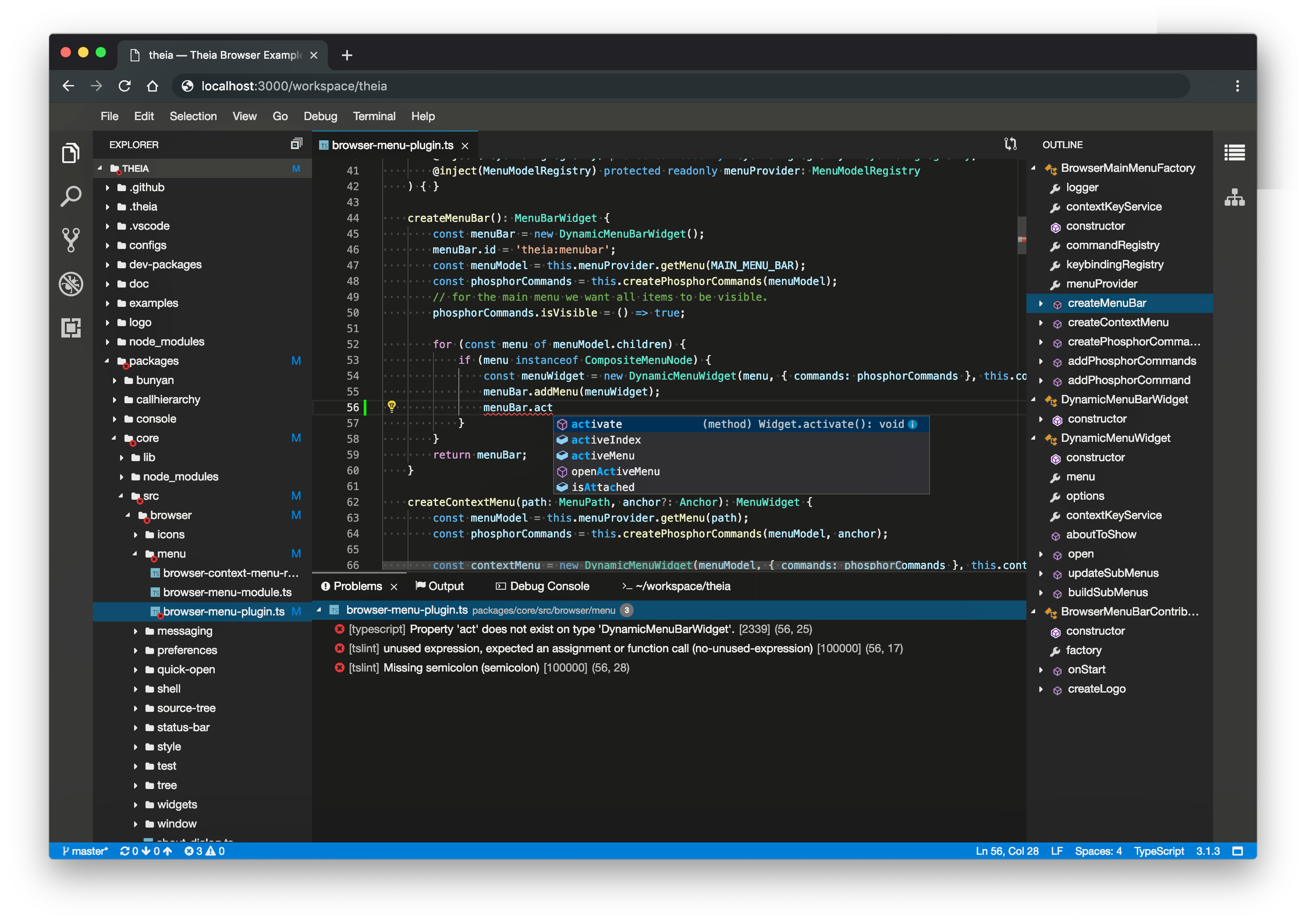
Used this a few years ago in early stages before VS code remote was a thing. It's very useful to add some interface extensibility components into VS Code's framework. I suspect microsoft made some intentional design decision to make this harder to do in VS code's apis, totally eschewing any real editor extensibility in favor of a "apps in the editor, not extending the editor" design vs Atom's much more open ended allowance for modifications. For example, if you wanted to make a form builder in VS code for VS code extensions - that would not be usable outside of the Webview tab functionality without modifying the editor source. Glad eclipse foundation recognized this and is providing some groundwork to make a real IDE out of VS code.
Theia was also the first to provide support for running vscode-as-a-platform and run via web browser, at least support that was functional and working.
When comparing VS Code with Atom, vim, Emacs, others, an underappreciated fact is that extensions just work, and are very easy to install and configure, which has much to do with its model. Atom was unusable for me, because, as you installed extensions, something always broke.
This is also similar to the old Firefox vs Chrome. The former was great for power users, but it crashed a lot and Firefox installs of regular people were riddled with insecure extensions that broke the browser and that couldn't even be un-installed.
VS Code does have flaws, but having limited extensions is not one of them, IMO.
They don't "just work". There are many many extensions that require external tools in the path etc. and some even go as far as to try to download such dependencies (and leave them on the system). Generally one should definitely read the extension documentation and there may be some manual steps needed (meaning that they don't just work).
It's true that the most popular extensions work fairly well though.
For the purposes of the general end user who really doesn't care whether extra dependencies are on the system, it does "just work." Indeed, they might even want such behavior, that plugins manage their own dependencies without any end user input.
> VS Code does have flaws, but having limited extensions is not one of them, IMO.
Exactly. Of course as somebody who writes extensions I'd sometimes like the possibility to change stuff at a "deeper" level - like having multi-line text decorations. But as a user I really prefer the model to the Emacs' one. Emacs (and I guess *vim) works best if the user writes all the code themselves.
> an underappreciated fact is that extensions just work, and are very easy to install and configure
This is partially because of cultural reasons. VS Code was originally a code editor made for web developers, by web developers. It follows directly in the footsteps of Atom. Web developers, for good or for bad, value the user experience of software working out of the box so they tend to bundle everything. Systems engineers, those of the C/Python camp tend to optimize for efficiency and prefers the user to manually setup out-of-band binaries.
I've been using vim and neovim for over 15 years with many 10s of plugins and I can probably count on one or two hands when an update has caused problems.
Also use Arch for about as long.
It's so odd to me when someone says that updates break their vim or Arch frequently.
There are so many threads about it on /r/neovim that people have started to ask just which plugins actually work together cohesively without breaking [0], something that is not asked about for VSCode. Just go through their "Needs Help" flair and you'll see lots of issues [1]. For me, I also use tens of plugins but inevitably something breaks at least once every couple of weeks.
just use lazyvim[1] and be done with it! some people takes care of the compatibility and they are probably more competent than you (i mean a newcomer who starts writing their nvim config)
One of those threads is about lazy.nvim, not lazyvim. The other is a question about what to do after accidentally installing lazyvim with the wrong shell on windows, not about plugin updates breaking things.
Lazyvim is powered by lazy.nvim, at some point it'll break. These are example posts, you can feel free to go through reddit for more examples but yes Neovim does routinely break more for me than VSCode ever does, which is basically never.
it never has been my experience! i have used lazyvim distro for the last year or so and run some :Lazy update for time to time and usually i just need to close neovim and restart and it will all be working well..
I think i had an issue when they moved to conform.nvim from the deprecated language server based method but that's maybe about it (I deleted the nvim cache and it was all good after)
Your anecdote does not somehow counter dozens of others that clearly exist across the internet. Just because it works for you does not mean it works across the board.
I keep hearing of bugs and breaking changes in neovim, with no sign of it affecting the upstream vim. I am a little frustrated that neovim could give people a bad impression of vim from a stability/compatibility standpoint. Unlike emacs and atom, where you can modify the editor fundamentally, vim is extended with sandboxed scripting language(s) (I assume the same is true with neovim as well), so there's no fundamental reason why an update should break your plugins. Conflicts can occur due to overlapping hooks, but VSCode has the same problem. To be clear, I'm not suggesting people switch their text editor.
Would love to hear from a more seasoned vim user if I'm missing some egregious stumbles in vim's updates that affected their workflow.
Yeah I'm always amazed how Microsoft can make both the best performing electron app, Vs code, and the absolute worst one in ms teams. At the same time. Clearly zero coordination going on there :(
Is there actually any point in using it? My initial thought was they would allow a more “atom” approach while still keeping all the vscode functionality.
But it looks like it’s aimed more for “building your own IDE” without having to start from scratch, feels just like the old eclipse.
Maybe I’m missing something but why would anyone bother using this?
I am becoming increasingly concerned with my reliance upon VSCode. With Microsoft's increasingly visible dark-pattern shenanigans, it feels inevitable that eventually the other shoe is going to drop.
A few design decisions of the platform seemed designed to make it difficult to go elsewhere, and Microsoft keeps changing default plugins away from the fully open source versions to the Microsoft quasi-kinda-pinky-swear-open source variety. Which deprives the open source versions of mind share and development resources.
I very, very reluctantly switched from Eclipse to VS Code a couple years ago, because certain Eclipse plugins I relied on were no longer maintained. VS is pretty good, but I've never been comfortable with its place in the MS ecosystem, and I worry too about it turning to free-to-pay junk down the line. At least with Eclipse you really could just download and run years-old versions if you wanted to keep your particular plug-ins and favorite setup working.
These editors are as much the sum of the plugins and the community around it, not simply the editor itself. Otherwise Vim/Emacs wouldn't have survived as long. Microsoft probably knows it has to play it safe.
As much as there are a few bigger name commercial/close sourced ones the average dev is using 20 other niche ones run by volunteers.
OK, now I'm really glad that Visual Studio Code was one of those "eh, pass" things for me (like GNOME) and I stuck it out with Emacs all this time.
Microsoft's play appears to be soup-to-nuts control over every aspect of web developers' work -- from finding a job (linkedin) to source control (github) to libraries and dependency management (npm). Visual Studio Code fits neatly within this play. Windows may have lost web devs' hearts and minds in the 2000s-2010s, but Microsoft has pivoted to where they don't need Windows in order to capture the developers.
Wait till Pluton takes hold in a few years, and you need a Microsoft account just to get to the bootloader.
I've been using the Cursor editor recently. Unfortunately it's based on VS Code, is closed source, and is tightly coupled with Microsoft/OpenAI. But the full AI integration blows everything else I've used out of the water. I feel significantly more productive with it than any other editor.
I think in the coming years as LLMs become more powerful, the productivity gap between using AI to code and not using it will only increase. It will become difficult to justify not using AI, despite the privacy concerns. I really hope that open source alternatives can keep up and provide viable alternatives to editors like Cursor.
I really would suggest not using Cursor, unless you're working purely on open source stuff you don't care about sharing. All of your code goes via Cursor's servers, even using your own LLM API key.
I’m ready to switch over to fleet for my ML/data science work load once they support plugins (so I can use Ruff) and Jupyter notebooks (the notebooks are mainly for debugging).
For now, you may want to use VSCodium [1], which is a variant of VSCode which doesn't ship any non-free components (and also doesn't include Microsoft telemetry and such).
> Even though we do not pass the telemetry build flags (and go out of our way to cripple the baked-in telemetry), Microsoft will still track usage by default.
I mean, what's holding you back from using neovim? Great plugins, same LSPs, anything that's missing you can code up yourself in Lua, works over ssh... what are you really gaining by using VSCode?
The out of the box experience is vastly superior to neovim, you have to configure a lot less stuff.
The default keybindings are not esoteric.
Adding support for a new language is just clicking a button to install the extension, you don't have to configure or install the LSP yourself (or even know what an LSP is).
For me personally, better support for c#/.net.
You can make a nice IDE with neovim and plugins and a GUI but you do have to make it, whereas you just have to install vscode and you are done.
Astronvim[0] is plug and play. Easy to add LSPs (Mason), easy to add syntax highlighting (TreeSitter), and easy to configure (Lua, no JSON).
I can't stand VSCode due to personal preference [1], but I won't fault someone else using it. If configuration is stopping you from using neovim, use Astronvim or another pre built solution.
[0] https://astronvim.com/
[1] my main beef is lack of support for my ingrained Jetbrains shortcuts and the find window being in the sidebar. How anyone can use the search results easily is behind me. I know you can move it, it's just annoying.
You can just simply ignore that find window and instead use the "Go to Symbol" feature by pressing Ctrl + T to navigate quickly between symbols (variable + function + classes + etc).
As a long time neovim users and promoter, I switched because of community support of plugins. More of them, they are up to date with libraries immediately (important in JS more than other languages), and easier to google solutions.
Also I tried switching to Astrovim so I spent less time maintaining my vim config and it ended up breaking as often as atttempt at switching to Linux distros (regardless of years of experience) so I chose stability.
i'm a Python main trying out neovim (using kickstart) and couple of weeks in my journey is a bit frustrating as switching between virtual environments is a hassle, jupyter notebooks aren't quite useful outside the browser and setting up the dap has been a challenge.
Setting up a fresh vscode install with all of the plugins 'launch.json's and takes me ~20 minutes at this point.
Not giving up on neovim as telescope, treesitter and the no-electron experience are a joy
The seemingly lack of support of jupyter notebooks was the thing that kept me from giving it a honest try. I want the same experience as in the code editor.
Have you ever tried to daily drive them? They're simply not polished enough for serious work.
Text editors seem to fall into this open source software trap where everyone has to have a pet project so you end up with 700 different text editors that are all like 70-80% done in terms of features.
Sure, but how concretely does that hold you back? Not saying I can’t imagine any possibilities, but guis aren’t universally better for editing text. In fact I usually find the gui is what is holding me back, since I end up needing access over ssh/mosh or easier access to a terminal, and tools such as tmux provide much better (imo) ergonomics than I get with terminal-in-ide especially with the ability to zoom one split to fullscreen.
It's not the GUI per se that people want, but it's the useful default configuration.
If I'm working on a project I want to see the file tree, I want multiple editor tabs for different files, I want to be able to full text search the project I have open, I want a terminal window to execute commands on, and most importantly I want to be able to switch between these elements without needing to learn a new set of opaque keyboard commands.
VSCode/Codium gives you this out of the box with zero friction so it's no wonder that it's consuming market share like nobody's business.
I wish it wasn't electron and I wish it wasn't Microsoft, but until there's a better alternative that's what I'm using most of the time.
I honestly don't remember the last time I used a terminal to edit files. I don't really miss vim that much since I still use vim shortcuts in VSCode. I briefly tried Emacs but a lot of the major modes for languages I used were too buggy and those were distracting me too much for it to be my daily driver (maybe I have ADHD, dunno)
For what its worth, VSCode also works over SSH. There's a collection of plugins for working remotely or in containers.
The main thing that drew me to VSCode originally was pretty good support for fonts and ligatures. And I think I also like some of the QoL plugins I use. The config is just JSON, and it's pretty easily tweakable to how I like it.
I've heard good things about nvim and zed though, and I'm tempted to try them. But there's a bunch of idiosyncrasies and quirks that you get used to, so switched kinda feels like a chore
Fair enough! Definitely not trying to make anyone change their editor of choice. But I do feel people forget (or maybe never knew) how productive terminal based workflows for editing / compiling / running tests can be once they get used to how their specific IDE exposes those features. I personally can’t think of anything I couldn’t add to terminal workflow except for things like markdown preview or image preview. There are certainly inconveniences like difficulties with copy/paste or mouse based split selection/ scrolling etc that can be worked around in more or less complete and or painful ways. But for the general tasks IDEs are used for i am not aware of anything else a gui really helps with. Hence my question.
I'm a die-hard nvim/tmux/mosh user so take this with a grain of salt, but to answer your question, many people use their IDEs as project dashboards. For example (depending on the project/ecosystem):
1. GUI editor (for UI)
2. Debugging (as in standard debugging tools like breakpoints, REPLs, etc)
3. Building the project, and build management
4. A terminal emulator
5. A container orchestrator manager (or as I like to call it, an orchestrator orchestrator)
Personally I think those tools are better separted from the IDE, but there is a real convenience in having them integrated.
Sorry, but neovim or doom Emacs or any other nerd editor configuration that doesn't have table stakes features out of the box is a complete non starter.
As far as I'm concerned, running 100,000 lines of Lua or elisp written by literallywho is no better than downloading random vscode extensions.
My read was different. That this is an IDE with plugins and whatnot, and they have a similarly named but entirely different offering:
“Note that Eclipse Theia IDE is a separate component from the overall Theia project's related Eclipse Theia Platform, used to build IDEs and tools based on modern web technologies.”
No idea why they didn’t brand them differently. The base is different (built more on VSCode platforms and not Theia the platform), unlike old Eclipse that had a split between the base and the IDE built from that base. I think that is very confusing.
Since this seems otherwise unrelated to the desktop Eclipse IDE, does anyone have positive feelings about the Eclipse brand? Granted I last used it about 20 years ago, but it was a less than positive experience.
I use Eclipse desktop regularly. It has its quirks, as most all source software does, but it's more than sufficient to get the job done.
In the same vain, I did try to learn the ins-outs of vscode and I wasn't impressed after a few months. It has about the 1/16 of the capabilities of Eclipse, and things are very broken pretty much 100% of the time, or it'll suddenly break when something auto updates. It's also, just obnoxious to use: popups, distractions that never go away, settings are in a schema-less json, and a completely incoherent user experience when you do something as minor as switch plugins. Compare that to regular ol' Eclipse, which presents a unified editing interface for every language and file type.
I used IntelliJ for a brief stint and I would say it's very polished and a lot of small annoyances with Eclipse it doesn't have, and it exceeds Eclipse in several areas, but not to the point where I would go relearn an entire tool. So yeah... I'll probably just stick with Eclipse until I can't anymore!
We have a build for a giant xyz customer system. Every part of the codebase is modern; it has thousands of JUnit5 test cases, 26+ modules. We've set the build up "correctly": following Maven best practices and it turns out, when you follow them, things are really quick with builds just under a few minutes.
Eclipse does an amazing just handling a project this size. It also is able to do things VsCode simply cannot do. We had a enum we needed to move from a submodule to a a global one. Eclipse found all of the references, including ones in our documentation, strings, test cases, and even prop files for runtime config, and refactored the whole thing in a few clicks. We've had the same experience with IntelliJ actually too, where the tools are even more refined.
Eclipse/IntelliJ are on a different plane. VsCode does have it's merits, but it's not really a full blown IDE.
This. I wish more users that prefer quite primitive text editors would broaden their horizons and learn at least one proper IDE. It's been honestly quite funny reading comments for the past few years about how amazing e.g. jump to definition is (compared to grepping and navigating manually) like it's some great new thing when we've had it in every IDE for decades (and much, much more). I remember using autocompletion/jump to definition/various refactorings in Borland IDEs back in 2004, and they were surely available long before then.
The level of code refactoring tools available in IDEA dwarf anything vscode has been able to come up with, and I don't see that changing. And it's not just for Java (although it gets the best tooling), they're the best for every language that has any popularity at all. Including TypeScript, where IDEA has a significantly better performing lsp features than vscode.
For example, it automatically finds copypasted code (including cases where variable names and code structure might differ) and can automatically extract a single implementation and generalize it for you with a single key press. If you have multiple classes with similar interfaces, it can extract the common bits into an interface and update the classes to become its implementations. It can shuffle types and methods around for you, automatically updating references (which you've mentioned). Autocompletion for absolutely everything, including difficult cases like e.g. SQL inside a Rust snippet inside Markdown. And much more.
Is there ar particular reason why VSCode does does not perform at these refactoring features? Has it something to do with the underlying technology or did nobody implement it properly yet?
I have never used an IDE more opaque than Eclipse, you can feel the crusty Java code everywhere.
I don't particularly like VSCode, but your criticisms are simply not true (anymore). It has GUI settings, it is pretty stable and you can make things go away.
> and things are very broken pretty much 100% of the time, or it'll suddenly break when something auto updates. It's also, just obnoxious to use: popups, distractions that never go away, settings are in a schema-less json, and a completely incoherent user experience when you do something as minor as switch plugins
That’s… extremely far from my experience with VSCode, are you sure you’re even talking about VSCode?
I’ve literally never had anything break after an update, not even a plugin. Not saying it doesn’t happen, because it definitely does (every version is followed by 1 or 2 patches in the following days), but it’s usually about pretty niche breakages.
All popups and toasters have a cog wheel on the top right that let you tell them to never show up, if you wish. And to be fair, there are very few, the only ones that come to mind are "oh I know this file type; do you want to install the appropriate extension?", which is honestly a welcome hint (that you can disable globally if you don’t like it).
What you call "distractions that never go away" I’m not sure, because almost everything in the UI can be hidden. What do you think count as a distraction?
Regarding the settings, it’s plain wrong. The settings have had a visual editing interface for years, and the underlying JSON is definitely typed. If you add a key that doesn’t exist, it’ll be greyed out. Invalid values have a red squiggle.
I have no idea what you mean with "incoherent user experience depending on plugins", specifically because the extension API doesn’t let extensions do incoherent stuff.
Yeah, I was lucky that early in my career a swdev turned me onto intellij stuff, it's sometimes second best at stuff and sometimes the bugs are 10 years old with no fixes in sight, but it still feels way better all the time than vscode.
> Since this seems otherwise unrelated to the desktop Eclipse IDE, does anyone have positive feelings about the Eclipse brand?
I do.
It was used as the basis for code-sourcery, which was the foundation for many a vendors embedded toolkit.
More recently, I used it for ESP development, and I was absolutely floored that Eclipse is, in 2024, a lightweight and featureful alternative to VSCode.
My prior memories of Eclipse was that, once started, it would slow my machine to a crawl. Now it runs lighter than the most popular "modern" editors; after doing the ESP project, I noticed just how laggy VSCode is.
It could do with a few plugins, though. Copilot, and things like that.
Eclipse seemed to me to be a "substrate for Eclipse plugins" first and foremost, whereas both NetBeans and IntelliJ struck me as "tools for writing code" first.
That's how it was designed, from even back when it was VisualAge and written in SmallTalk.
Eclipse is basically a language-neutral UI "shell", the "Eclipse Tool Platform", where all language/code-related functionality is provided as bundles of extensions. And then extensions can be extended, and so on.
Eventually they standardized the extension system around an extension/component framework called OSGi. Not sure if this new Eclipse IDE uses it.
I still use the Eclipse IDE on a daily basis for Java development. I like it a lot better than the alternatives. A lot of people seem to prefer IntelliJ's expensive bloatware, but that just doesn't do it for me.
I will repeat my usual complaint: I wish the Eclipse Foundation would invest more into making the IDE better, and I wish they would make it easier for people to contribute to it.
There is "IntelliJ IDEA Community Edition", completely free forever. It's missing a few features compared to Ultimate, most notably the web development bits.
I think it's a complaint of JetBrains IDEs loving to eat memory (and possibly having a large install size), which is true, although historically Eclipse, NetBeans and others have also had a similar reputation, with Eclipse also being modular to the point where some people's opinion of it has been soured due to bad tools built on top of it, as well as an arguably awkward workflow at times.
Then again, it's all probably relative - most IDEs (including the likes of Visual Studio) are slow compared to something like Lazarus, VS Code can feel slow compared to Sublime or Vim but whether that matters much is up to the reader. Personally, I like the features that JetBrains tools have, and those are more or less my daily drivers (I pay for the Ultimate package of all tools, alongside GitKraken, MobaXTerm and some other software), others might differ in that aspect.
That said, I don't think that JetBrains Fleet is quite as good as VS Code yet, so I use VSC for my more lightweight editing needs or on lower spec devices, sometimes also dropping down to Notepad++/Gedit or Nano for simple text/config files as well.
I also still breathe air. What's your point? Java is a useful language with many excellent features and a standard library that is better than any other standard library in any other language (fight me on this). It has a thriving ecosystem, with many excellent high quality resources.
The IDE is pretty damn good. Plenty of shitty parts but all said and done, VS Code can't even scratch the way that I can rearrange the UI to fit everything I need to see when doing firmware development, at least not without a lot of screwing around. Really not looking forward to VS Code wiping it out in the next 5-10 years.
I think the negativity should be towards Java and its sluggishness when it came to desktop applications.
Eclipse was the effort that made it decent, and it took a long time before we had IDEs that were competitive for some languages. I remember the php extension being surprisingly good.
Sigh... I'm with you here. Like yes it's pretty cool to be able to configure your pinmux and peripheral clocks and all that directly from the IDE and have it end up as source in your project. But no it's not cool to not have a supported way to do a command-line build.
Yes, very positive, I've used Eclipse for many years, primarily for Java. I also have a license for IntelliJ but how it does code completion and other aspects of it's UI have always irritated me.
So I'm back to Eclipse, and will probably check out Theia as well. Hopefully they add Go support if it isn't already there.
For me it was so so so bad when I used it. Buggy, slow confusing and weird. I hated it with a passion. Admittedly I never used it vanilla but only as a base of other crappy tools.
But that was Java eclipse. And I kinda hate everything related to Java.
I used it 20 years ago after having worked a bit with Python and C++ for 2-3 years. I was productive in a day (I didn't know Java), had a functioning GUI day 2.
Yes, it seems overwhelming and there is the 'workspace' concept which seems too much abstraction. It's only in the way if you are too attached to your own way of working. If you just begin coding, it actually is quite intuitive.
Yeah I agree. Eclipse was overall a bad experience and I think most people saw it the same way so it does seem odd to reuse the brand. I mean the people involved in Eclipse obviously like Eclipse so they probably don't realise.
The thing I hated most was the workspace concept. I don't want to put all my projects in one directory or have to make a workspace just to open a project. In every other IDE you can just open a project without weird and confusing restrictions.
It also crashed quite a lot - not fully, you just get a dialog box saying there was a null pointer exception.
Also every app I've used that has been based on Eclipse has been awful. Teamcenter was probably the worst. So slow you could literally watch it drawing widgets.
The one positive I will say is that there's a state machine plugin that's really good, and it uses the Eclipse Layout Kernel which is so good at layout out diagrams that it's been ripped out of Eclipse and even converted to JavaScript.
I've been following Theia for years (hi GitPod people), though mostly lost interest when vscode started being browser accessible, and back when they were using that old UI stack.
But I'm confused, how does this compare with code-server, or openvscode-server?
I use the latter in a web browser to do fully remote dev on my beefy machine hooked up to Google Fiber.
It kind of seems like this isn't something I need to consider, unless I wanted to ship my own custom white-labeled IDE. (Which... Nah, and why?)
because the tooling for VS code extensions to be part of the VS code UI is lackluster. It shoehorns people and prevents the development of something like a fully integrated SQL workbench. Or a form editor. Or reusable property panes, editor widget UI. If vscode had those things, it would be a proper IDE.
Take for example this outline view: https://raw.githubusercontent.com/eclipse-theia/theia/master... - not something that would be easy to integrate into VS code as an extension. Very nice work. Why VS code doesn't have it is probably related to cannibalizing other MS products.
Odd example - VS Code already has an outline view, and it’d be very easy to build one yourself as an extension if you wanted. (TreeViewProvider API).
With the addition of Webview Editors and Views there’s not really anything an extension can’t do to its UI. Notice this is very different from saying there’s not much an extension can’t do to VS Code’s UI. Extensions are given a box, and they gotta stay in it. Personally, I’m fine with that.
Used this recently and liked it. I don't use VS Code but I see how this is a valuable addition to the ecosystem. Not only does it provide an actually open alternative independent from Microsoft, the project has produced open-vsx.org as an open registry for VS Code + Theia compatible extensions.
Also, the main focus of Theia (and Eclipse in general) is to provide a framework/base for creating a custom IDE product, not necessarily to provide a working IDE out of the box. This means e.g. companies providing custom IDEs for their embedded platforms can now use a more modern VS Code style base instead of the ancient Eclipse desktop editors.
> "The main focus of Theia (and Eclipse in general) is to provide a framework/base for creating a custom IDE product, not necessarily to provide a working IDE out of the box."
Yep. An important repo Theia has is the 'Theia Blueprint' repo so one wanting to make a custom IDE has a good place out of the box to start.
FWIW, I prototyped gluing together existing plaintext accounting tools (Beancount, Fava, vscode-beancount) under Eclipse Theia a while back [0]. The potential of using a vscode-style base still seems a promising for certain applications but there's a learning curve to figuring out how the various dependencies and quirks of building an electron app work.
Competition is good, and I haven’t used this yet so I’ll withhold judgement on this. But my experience with vscode hasn’t been particularly nice, so my enthusiasm for it as a base is a bit mixed. I’ve found it to be pretty slow and often buggy for e.g. syntax highlighting, when compared to something like pycharm.
It’s likely I’m just an idiot who doesn’t know how to set up my extensions/config, but if it takes some high level of intellect to do so then I think it’s still fair to call it a poor UX.
Can people stop using electron for editors? This is why software quality is dropping. People are ok with shoddy slow bloated apps as their primary editing interface.
I dislike Electron as much as the next person, but I think a big part of the issue is that there really aren't great cross-platform options out there and it's hard to keep a consistent UX across platforms if you're reimplementing things for each OS.
I guess I'd ask: what would you (or other people here) use? There really isn't one that offers a great native experience cross-platform.
Flutter won't ship Chromium, but it'll bring along its own runtime, widgets, and rendering engine rather than using what's provided by the OS. .NET MAUI uses native widgets, but it's difficult to create one API that uses native widgets on different operating systems given that there are subtle differences between similar widgets on different operating systems. MAUI Blazor Hybrid solves that issue and doesn't ship Chromium, but you aren't getting native widgets.
I think for an editor to be successful, it needs to be available on Mac, Windows, and Linux and it's really hard to maintain parity if you're developing the UX separately. As I said, I'm not an Electron fan, but it does allow for easy parity across platforms.
In this case, the reason it's Electron is that it's not just meant to challenge VS Code, but it's essentially the same codebase as VS Code - like how Edge is the same code base as Chrome. The point of the project was a VS Code that was truly free software rather than an open source core with a bunch of Microsoft stuff around it.
As someone that is programming since 1986, wrote software across multiple 16 bit platforms, and has his own share of Web and desktop development experince, it is more like people aren't willing to put in the effort, more than anything else as lame excuses.
> but I think a big part of the issue is that there really aren't great cross-platform options out there and it's hard to keep a consistent UX across platforms if you're reimplementing things for each OS
All that's needed is taking TextAdept or KDevelop or Kate (these are all cross-platform already) or some such editor code-base as a starting point and (A) bringing in VSCode's NodeJS-based extension host and (B) implementing out VSCode's surface extension APIs against that native backing mature editor code-base. Voila, all the great VSX extensions out there are salvaged and ready to use, with no more Electron or MS dependency.
Quite icky and boilerplatey though, not as sexy as starting yet-another-whole-new-editor from scratch... plus the whole latent "ever-having-to-keep-catching-up-to MS VSCode" responsibility ... no wonder no one's on it. Neither am I.
VSCode's extension APIs' restrictions wrt GUI extensibility are a god-send to any theoretical alternative implementors of those APIs. It's just that there aren't any =)
I think they're saying that the point of each OS having different UI frameworks is so that all apps on that particular OS have a cohesive aesthetic and "feel native." That necessarily contradicts the desire to have the same UX across various OSes, however. (And I think "feeling native" is something no popular programs have done for a long time.)
> "Feeling native" is overrated. Most users want a fast reponsive UI, THAT kind of "native".
We seem to have forgotten it now, but back in the day we had this idea that a platform should have a standard UI to which all applications conform, so that the user can transfer knowledge in using one application to all the others, and they don't have to memorize a dozen different ways of operating to use a dozen different applications.
To that end, dating all the way back to 1984, Apple developed user interface guidelines that specified things like how dialog boxes were to be laid out, what the various menus and options should be, and what were the keyboard shortcuts for common operations.
This was the revolution that enabled all sorts of creatives to integrate computers into their creative work, and for the longest time it was Apple's advantage in the marketplace. Mac users, many of whom were creatives in the print, graphic design, music, and film/television spaces, were very picky about their UIs because they spent so much professional time in them. If you did not conform exactly, down to the pixel, to Apple's user interface guidelines, the users would notice right away, and you would be one-moused so hard in MacWorld your business might never recover. (That's another quasi-lost thing about the Mac ecosystem: people liked paying for good quality software.)
Accordingly, it was accepted dogma to never, ever, ever use a "cross-platform UI framework" if you targeted Mac, because the cross-platform frameworks never got the fine details right, and the fine details mattered. It's called "polish", and it's something the open source world never got (thanks in no small part to fucking X windows and all its stupid "toolkits"), and now that open source and the web have eaten everything, the rest of the programming world has forgotten.
Cohesive is important but what's also important is playing nice with the respective OS's design guidelines. For example, take dialog boxes and the order and positioning of "OK, Cancel" buttons.
If .NET is an option (since you mentioned MAUI) I would have gone with Avalonia.
It's like WPF, which was used for Visual Studio, except it's cross-platform and can target Windows, macOS, Linux, web, iOS, Android (and from what I can tell, even TV). Personally I've had nothing but a great time with it.
Unfortunately Microsoft has too many Web devs taking over the old Windows development culture, when it isn't Electron, it is Webviews all over the place.
See all those efforts with Blazor integration across all desktop stacks, MAUI (!), and the use of React Native in WinUI, Office and XBox.
For me at least, tree-sitter + LSP support is a must in any editor/IDE. Recent entrants like Zed are setting a very high bar along with really quite stellar updates to neovim and emacs in the form of LazyVim, Doom/Spacemacs etc.
I agree. In neovim It's lately been fun to make my own tree sitter based scripts. For example, I managed to very quickly add syntax highlighting to my own DSL that is embedded in rust strings.
And to counter the old trope that one ends up spending more time tinkering with the editor than being productive, it is just fun and that's enough of a reason to do it :)
Can't wait to try out zed more once it becomes more stable on linux.
They really need to change the name to something else. I don't know a single person that has used Eclipse in the past and thought that it was a good IDE. I think most of us had no choice but to use it back when we did and just struggled through it.
I share your befuddlement. Eclipse is good and overall better than even paid proprietary IntelliJ. I think there is a lot of bandwagon jumping, especially with newish devs.
I've used Eclipse, Netbeans and Intellij extensively for Java dev. Eclipse is my least favourite. That said, I haven't used Eclipse in years and Netbeans has been lagging in innovation since going to Apache
I use it quite frequently (one of my customers insists on it), and I actively dislike it. No amount of "trying it" is going to make it any better. I hate the look & feel. It gets in my way more often than it helps. It's *slow*. It's a resource hog. And its weird insistence on tying "projects" to "windows" bugs the shit out of me.
Most of these are subjective, but hey, I tried it.
Agree it does them no service using that name. It’s miles worse than IntelliJ or VS. Even if it became much better in recent years (haven’t used it for over 10) its first 10 years have many of us so many scars we’ll not go near it, and we’ll think twice about using something with a similar name or origin.
I know a few who still swear by Eclipse but they are the kind that think the Linux desktop audio stack is great because it’s open source too.
Eclipse Theia IDE is to Eclipse as Visual Studio Code is to Visual Studio?
I think the naming is much less interesting/important than the idea, but lots of folks seem only interested in whether the name is good or bad. In my experience, a good project tends to eventually live by a good name, and the early focus should be on the outcome. It looks to me like the folks behind this project know exactly what they’re doing.
I downloaded it to try. It's very slow. Slow to open, slow to open a project, slow to open files, slow to scroll files. Highlighting a small code file visible went down the file. The go to file command only showed files I'd already opened rather than all project files, probably because all files would be too slow.
Interesting. What I hate about Vs code is that Microsoft limits all their good add-ons from running on the open source version. It's really annoying because there is no official version on my platform. Not that I'd willingly install MS spyware anyway. But the open-source version, ok.
It's typical Microsoft. Even when they pretend to do something good there's always a catch and an agenda.
On the other hand, 'Eclipse' gives me nightmares when it comes to IDEs.
I'm so annoyed at the fact that there is almost no more competition in the field with everyone using and relying on the same core (Monaco) under Microsoft control.
In addition, the editor is ok but not particularly good. Sadly a lot of users are liking it because they never really experience something different.
Even if not perfect, I would recommend Kate and kdevelop that are incredible once you know how to use them
Collaboration capabilities are a high rank priority for me. After years of not really getting anywhere, there's been some promising movement this year, but still in long open draft form. https://github.com/eclipse-theia/theia/issues/2842
With VSC, the only extensions are those MS builds API's for. It's hub and spoke integration, for a few big leaders and many tiny followers.
With Eclipse (Theia or otherwise), it's fully open, with a large number of medium-sized groups. There's much more flexibility, but more opportunity for integration trouble (and more appreciation for those who do it right).
The ecosystem has benefited from Java's open-sourcing and becoming the default organization e.g., for jakarta, but it never really recovered from the loss of IBM as the big dog driving enterprise (or the transition to Eclipse 4 style UI's).
Even JetBrains, which makes actual good IDEs, is copying VSCode with its new editor, Fleet...
And even the new IDEA UI (which is still opt-in, thank god - I tried it but moved back because the "old" UI is just clearly more ergonomic to me) is clearly VSCode-like.
I quite like the new IntelliJ UI, BUT only when combined with Material Theme UI (to which I own a perpetual license).
Lately I've been using Zed, but I'll have to switch back eventually because the Windows support is terrible (I know, I know, it was designed for macOS).
yea, totally agree, recently pair-programming with a coworker and for a bit i thought he was using fleet or the new IntelliJ ui when instead it was just vs-code...
my guess is jetbrains sees the trend and wants to keep up, but if all the editors look the same as vs-code how do you differentiate?
I rather dislike that weird side ribbon thing. Some time ago I thought I'd try and build a version without it, but that wasn't as easy as I would have liked. Maybe I'll give it another go.
The side ribbon of VSCode is called the Activity Bar. You can put it on top of the sidebar (making it more like a tab bar) or disable it entirely (which makes it a lot harder to open the sidebar or change the page it's on).
It's as simple as right click it -> Activity Bar Position -> ...
What makes this one different though, besides being controlled by a non-Microsoft entity? Do they have some policies/mechanisms in place to prevent supply chain attacks?
Get it into the Debian repos and I'll try it. If it's a good replacement for vscode, getting it into the major distros will get them a massive userbase in a month. Most people don't want to install MS garbage on their computer, and they are willing to take a mild quality hit in order to avoid it.
Otherwise I'm not messing with something likely to disappear randomly. I value my workflow.
Eclipse always left me with the impression that it was more interested in architecting generically extensible platforms and protocols moreso than a nice, clean, user ready tool with all the kinks worked out. I was so scarred from Eclipse and OSGI and Equinox and xml manifest files and configurations and project import that never worked properly, that I never touched anything but vim for a whole decade, until first VSCode and then IntelliJ eventually won me back over by being /so/ incredibly polished that almost everything worked on the first try and with no configuration. Judging by the other comments here, I'm not alone in thinking that that impression hasn't gone away, and they aren't helping it now. From the article:
> Note that Eclipse Theia IDE is a separate component from the overall Theia project's related Eclipse Theia Platform, used to build IDEs and tools based on modern web technologies.
So you got the Theia project, the Eclipse Theia Platform, and the Eclipse Theia IDE, all fully separate things. "Ah" they will say, "what's so hard to understand? It's a project that works on an IDE development platform under the larger Eclipse umbrella, with which we built an IDE, but of course it has nothing to do with the original Eclipse IDE". None of which makes me want to use it or means anything to me.
> An Open, Flexible and Extensible Platform to efficiently develop and deliver Cloud & Desktop IDEs and tools with modern web technologies.
Dear god, please put that stuff on theia-platform.org or something instead, and market the platform separately. I know you're proud of it, but stop telling me about it please, I'm not trying to develop IDEs, which is an extremely narrow niche. "It can host VS Code extensions" and "vendor-neutral" is pretty much the only notable things from my POV - which is a perfectly great selling point, mind you - and they bury those below the fold.
There's a reason you want this: the more people use Theia, the more people will choose to use it as an extension platform. Otherwise it's likelier to go the way of the original Eclipse IDE (whose homepage notably still doesn't say "blazing fast", "rock solid" and "works out of the box" but has room for a zillion other things like "preferences page for Generic Text Editor" and "jar viewer").
There's also a reason why almost every editor website starts with massive screenshots of the tool itself, because people want to be able to imagine what it would be like to use a new tool before taking the big step to actually try. This is marketing 101. I wish they'd just flat out copy a competitor's page, and bill themselves as "everything you get from VSCode, but actually extensible and actually open source. By the way, look at the cool IDEs other people built on top of this, if you want to do that too, check out theia platform".
It could be great, but I'm just seeing so much self sabotage, it makes me sad.
What kind of setup?
I remember fondly using Eclipse as main IDE during university days (2005-2006). Latex, C++, Java etc. On my 256 MB laptop, it was reasonably fast.
Of course, many many years ago, I switched to IntelliJ (Android obviously is the main reason).