To convert it, I first opened and re-saved using Word 98[1] running on a QEMU-emulated Power Mac, at which point it opened in modern Word for Mac (viz., version 16.82).
The pictures were missing, however, with Word claiming "There is not enough memory or disk space to display or print the picture." (given 64 GB RAM with 30+ GB free at the time, I assume the actual problem is that Word no longer supports the PICT image format).
To restore the images, I used Acrobat (5.0.10) print-to-PDF in Word 98 to create a PDF, then extracted the three images to separate PDFs using (modern) Adobe Illustrator, preserving the original fonts, vector artwork, size, and exact bounding box of each image.
At this point, restoring the images was a simple matter of deleting the original images and dragging and dropping the PDF replacements from the Finder.
For comparison, here's the PDF created by Acrobat from Word 98 on the Power Mac
Did you attempt to extract the pictures so they could be converted directly by another program? Archive Team says that LibreOffice can read vector PICT files[1]. And then saved as SVG. Of course you still have the font problem if it has text. I hadn't thought of using PDF to preserve vectors, but of course it does, as well as embedding the fonts.
Good question. I saved the original document as RTF and extracted what I believe is the raw PICT binary data, but quickly decided on the Acrobat route when I realized I didn't know of any software that could easily convert PICT to a more modern vector format (other than by printing the PICT to Acrobat PDF, but that's essentially what I did in Word with extra steps).
If you want to give it a go, here's the raw PICT data from the RTF:
I did not expect to read about the LHC in such an 'old' document. I couldn't find (in the time I was willing to spend during work) when the LHC project started to this already be relevant in 1990 (20 years before it started, which is also longer than I would have guessed)
> That way I can see actual fonts, font sizes and layout to confirm how the document should have looked.
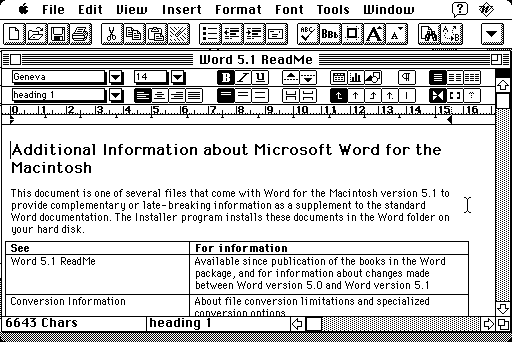
Or you would if you had the original fonts. Word 4.0 was released for System 6 with support as far back as System 3.2. Fonts at that time had separate screen and printer files for the different output resolutions. If you're missing the printer font it'll print a scaled (using nearest-neighbor) rendering of the screen font. If you're missing the screen font it'll substitute the system font. (Geneva by default, as seen in the screenshot.)
In this case, only the well-known Palatino and Courier typefaces are needed. But LibreOffice substituted Times New Roman even though I have Palatino Linotype installed.
This is probably because the (internal) name of Palatino Linotype is "PalatinoLinotype" (for the version shipped with Windows) or "PalatinoLTStd" (for the Adobe OpenType version).
In the absence of a hard-coded special case, font matching based on common prefixes could easily match something inappropriate, such as — taking the first example I see on my machine — mapping "Lucida" to "LucidaConsole", when almost any proportional sans-serif font would arguably be a better match for the document author's design intent.
Then again, even exact name matches provide no guarantees. For example, Apple has shipped two fonts (internally) named NewYork: the TrueType conversion of Susan Kare's 1983 bitmap design for the original Macintosh, and an unrelated design released in 2019.
Yes, but the current OpenType San Francisco fonts use "SF" in their (display and internal) names, so no naming conflict exists with the original "ransom note" bitmap font.
Also, as far as I know, of the original Mac fonts, Apple only ever shipped TrueType versions of Chicago, Geneva, Monaco, and New York. And I'm not aware of any OS with native support for both OpenType and classic Mac bitmap fonts (conversions are always possible, of course).
Doesn't the font matter almost as much as the font-size setting for font sizes, given that different font families can have wildly different metrics at the same font size?
One underappreciated (though mentioned) hero in this little saga is the venerable file(1) command.
proposal: Microsoft Word for Macintosh 4.0
It's so incredibly useful and so easily overlooked. I almost reflexively reach out to it when I'm curious about a file and the information it returns is just sufficient to satiate my curiosity and be useful.
I have cursed so many times in the past when I sat in front of a work computer that ran Windows and didn’t have this tool easily available. (Later on, WSL made life easier, but now I’m luckily nearly Windows-free.)
LibreOffice opens it right up. It's support for old document file formats is really excellent. I keep it around for just this purpose. https://imgur.com/a/JENgq6V
But I also love using BasiliskII and InfiniteMac emulators!
I think your summary is a bit short. Sure, LibreOffice opens the file but there are multiple problems with the formatting that need correcting. Your screenshot shows at least one of them (there shouldn't be any headers on the first page and the page layout should be different).
> LibreOffice opens it right up. It's support for old document formats is really excellent.
Yes, the OP also mentions that LibreOffice opens it.
...but they also point out with LibreOffice that "Although there's something weird about the margins and there are other formatting problems." - which is also apparent in your screenshot? Certainly that level support for such an old proprietary format is pretty good, but I'm not sure I'd class it as "really excellent" with those issues.
I should have been clearer: what I meant was that its support for very many different old document formats is excellent. Atari ST, Amiga, Macintosh, and so on. The OP and you are quite right that it won't open the documents with exactly the right formatting, but it's good enough in a pinch so you don't have to learn how to use 40 year old computers. It's a good tool to have.
7zip has similar support for a wide range of compressed file formats, exes, data files, cabinets, and so on. Another good tool to save time and keep you on your modern operating system.
> 7zip has similar support for a wide range of compressed file formats, exes, data files, cabinets, and so on.
7zfm.exe (7-Zip File Manager) anyway, which I agree is very useful. I've wanted it in Linux multiple times to avoid creating loopback devices but seem to always find it's Windows only.
Ah nice, I didn't realize it worked with the wider types of archives. I'm pretty sure I dug into the source in the past when trying to get it to handle an ISO in Linux and found that it was only supported on Windows. But that might have just been the GUI and not the command line tool.
Yes, LibreOffice opened it right up with the wrong font sizes, headers and footers messed up, incorrect gutter and margins, and a bunch of other problems. But they were all fixable.
Give QEMU a try — current versions do a great job emulating a Power Mac, able to run the most recent PowerPC versions of both classic Mac OS (9.2.2) and Mac OS X (10.5).
On macOS, I typically run it from an .app bundle containing a one-line shell script that execs the following script with the "-monitor vc" option (to enable access to the QEMU monitor via a menu command in the Cocoa GUI; when actively using the monitor, I run the script directly with the "-monitor stdio" option instead, as opening the monitor in the Cocoa GUI hides the emulated Mac's display):
Paths are (obviously) site-specific, realpath is the GNU version — used here to ensure nice-looking absolute paths in light of my heavily symlinked filesystem — and specific details (options supplied in no particular order, $workdir vs $here, etc.) are artifacts of hours of fiddling and not cleaning up afterwards.
I'm currently running a version of QEMU recently built from Git, though I haven't changed this script in years.
For networking, I'm currently using the notarized tap kext bundled with Tunnelblick[1].
Finally, I'm currently using an Intel Mac, so YMMV with Apple Silicon or Linux, though I have no particular reason to believe any command-line changes would be necessary, other than the obvious -display change to something other than cocoa for Linux.
Well, StarOffice already existed back then. Now I wonder whether LibreOffice still has some early '90s third party format parsing code inside, or some reverse engineered compatibility and conversion code from much later Word version actually does the job.
In the past, I have in all seriousness read Microsoft Word documents on Linux using less. I might have had LibreOffice installed, but it can’t run over SSH.
It works okay with most old school (pre-XML) ones, since the document text is in the file in plain ASCII amidst all the binary formatting stuff. For the new XML formats, less by itself doesn’t do anything useful, but unzip them and you can read the XML containing the document text.
Word supported a mode, in order to speed up saving, changes were appended to the file in a diff-like format. How could you know you were reading the right content if it could be overwritten later on?
I once negotiated a higher offer for a job because the company sent out an offer letter they'd done this with, where the deleted details for another offer gave me info about another role that made me (correctly) guess there was room to ask for more.
Sometimes “reading the right content” isn’t that important - e.g. “what is this random doc document about?” “oh, it is a design doc for the XYZ subsystem”. Unless the changes completely rewrote the document into a completely different document, which I expect would be rare
If I was going to use the document in anger, I would open it with something proper, of course
Is the formatting correct? Are the images visible? Because others report (see other comments) that Word opens the file but the images are missing. See the Word generated PDF here: https://news.ycombinator.com/item?id=39359079
Yeah, I stopped reading the article, downloaded the file, the only word processor is in Libre Office. It seemed to work fine so I didn't know what the issue was. Then I read the article and kept scrolling to the end where the author finally uses LibreOffice and it opens mostly okay.
As a testament to Microsoft's backwards compatibility: the file opened mostly fine in the Windows version of Word (version 2401), and the layout seems to be identical to the PDF of the article. It did block the file format by default but that was easy enough to allow.
The graphics did not open however, due to a missing graphics filter for the Microsoft Word Picture format. Seem it's been deprecated for a while now but Word 2003 should be able to open it? Which is old, but not that old not to run on modern systems.
Installed a copy of Word 2003, document opened flawlessly immediately with default settings. Saving it from there converted it to a modern .doc which I could open with Office 365 and convert to PDF etc.
I think the moral of the story is that the Windows Office team seems to spend a bit more time on backwards compatibility.
Ah… yeah I was wondering why they would deprecate an image format at all. My understanding is that Word in the old days serialized what was in memory, maybe that was a little too exploitable with images?
Not sure just curious not even sure where to look that one up honestly.
Digging through the files a bit I think the images are in PICT format which is very specific to Macs (the original ones). Its not surprising that modern Word doesn't support those that well as they are actually somewhat complicated kinda-vector image format. I am surprised that even Word 2003 implemented PICT on Windows.
Imagemagick supports it. What's more important, QuickDraw source is available, so not only we can have “some” conversion, we can also reason about its correctness (to some extent — according to comments, it's from 1982-1985).
Extracting raw embedded PICT files from the document and working with them would be the best way to get proper charts. To see what appeared on paper, we can direct emulated system output to an emulated printer, or capture the PostScript commands and rasterize them at the resolution that was used by device available to the author. It is well known that Word for Windows stored last used printer settings in the document, so it could be the same for files produced by Mac version.
(M-hm, it says “Laserwriter” at 0x10097. Maybe they all do.)
Because Microsoft made the most popular document editor for both Windows and Mac, they had to deal with interoperability of two versions of their own software. Supporting WMF/EMF on Mac meant they had to drag GDI implementation along with Office (luckily, the reference could be grabbed from their colleagues). Supporting PICT on Windows meant they had to re-implement QuickDraw primitives.
It is totally possible that Office applications used built-in PICT parser even on Mac to make things simple, and not rely on 15 years of compatibility layers in the system.
Probably the completely best would be to use LO for the images and Word otherwise... needs some manual twiddling but I suspect that way you can get pretty much perfect layout and images.
Office applications up to (and probably including) version 2010 break and crash on latest Windows versions. That behavior varies based on Office service packs and updates installed. You were lucky to be able to just save the document.
Unless, of course, you've found some portable version on the net that packs ThinApp and an assortment of old system libraries under the hood.
This has not been my experience, I'm wondering where you heard this information from?
I have Office 2003 (or maybe it's 2007?) installed on my work computer, no problems. It even happily coexists with whatever modern Office version I have installed on there too.
I also have Office 2010 installed on my home computer and my husband uses it all the time. No issues.
Both computers are running Windows 10, so I guess it's not technically "the latest version."
It might be forgotten now, but Office was a trade show for new ideas in Microsoft. Its UI routinely used non-standard controls, and relied on knowing how things move under the hood. On the other hand, it was one of the most important applications which had to remain compatible with any Windows system. There is probably an enormous amount of Office-specific fixes in Windows, and that complex and brittle symbiosis requires continuous work to function.
There is a multi-dimensional community of people who deal with old software and old hardware. It has noticed that compatibility of Windows 10 with old versions of Office got worse in releases made in 2018. It seems that those old Office versions were finally removed from integration testing environments at that time.
Problems are different in different applications (Excel might be the most sensitive). Problems may depend on language version. Problems may only affect certain actions (say, crashing during spelling checks). Problems may depend on updates installed — and certain official updates were known to break some applications for some people even before that, so they certainly were not as thoroughly tested as regular ones.
It is great if everything works for you. It is also possible that your specific combination of COM objects and silently overloaded SxS libraries from multiple Office versions works, while some other combination wouldn't.
This thread is amazing to me in lots of ways, but this line:
> I have Office 2003 (or maybe it's 2007?)
... is the stand out jaw-dropping moment.
I use Word 2003 for outline mode today, because for me, it's the final version that's usable. Word 2007 has the "Fluent UI" with a ribbon, making it unusable to me.
I boggled that someone might not notice what was a deal-breaking total UI change that drove me off a platform I'd been using for 19 years.
What I have installed on my work computer is the last version of Office without the ribbon and before the new XML file formats. I don't know off the top of my head if that's 2003 or 2007. What exactly is so "jaw dropping" about not remembering exact version numbers?
I don't use it day-to-day, but I have a few legacy "spreadsheets" (really small programs) from clients I have to work with once in a while that have macros that don't work right in modern office.
There's a big difference -- at least for me -- between "I can't remember if it has the ribbon or not" (very surprising) and "I don't want the ribbon but I don't remember which version introduced it" (perfectly legit).
I am deeply disappointed that a company like Microsoft doesn't make a point of Microsoft Word being able to open any document created by any version of Word, no matter how ancient it is. I think they have the social/historical/economical responsibility of doing so.
If they are worried about vulnerabilities in the old parsing code, move it to an external process, run it under isolation in a sandbox to spit out a newer readable version on the fly, but don't eliminate this capability from the software.
EDIT: zokier pointed out to me that the desktop version of Word opens the file fine, it is only the web version that doesn't. So, consider this post void.
EDIT 2: Well it opens the document, but is not able to display or print the embedded graphics, it seems.
Many old formats were essentially just binary dumps of memory, or something not far removed. Documenting the formats was not a standard. Yes, I agree that there is a social responsibility, but having worked in digital archiving I can tell you that the olden days were really, really messy. No, really.
This is the point that many of the commenters who criticize Microsoft are missing, and it's why the old formats are not enabled by default (security vulnerabilities) and why it's not as simple as creating a parser.
Microsoft still deserves criticism for designing their old word formats so badly. It was a design choice to turn documents of mostly text into obscure binary formats that were badly standardized and maintained.
Not true at all. Some of Microsoft's best minds created extremely ingenious methods that allowed early word processors to be usable on files that were dramatically larger than what would fit in memory. OSes didn't support suitable performance via VM infrastructure at the time. It was clever, outside of the box thinking that got MS to be able to beat WordPerfect (a worthy competitor) and the many other also-rans.
There was (contrary to popular belief) not a deliberate strategy to limit interoperability. It was simply the reality of the approaches utilized that made them tightly coupled to the MS Word codebase and less standardizable than would have otherwise been ideal.
Word 4.0 ran from floppy disks on PC XTs (8088 CPU) with 320 KB of RAM. You can't afford an elaborate parser in such limited memory, or you'd have to swap out its implementation on floppy on every load and save. Just running the parser would have slowed down document loading significantly. The floppy disk capacity also wasn't much larger. You already had to swap the disks for doing spell checking or similar. For comparison, the first web browser (WorldWideWeb) was an executable of about 1 MB and ran on a much faster 32-bit NeXT computer with 8 MB of RAM and a hard drive.
They were effectively working at embedded scale, trying to capture state within tremendously limiting constraints.
This is a case of interpreting past decisions based on current criteria, when those same conditions would have prevented modern methods from being implemented.
No they don't. Parsers can have security vulnerabilities, but you can fix those, and there's little reason why a parser for an old format would have more vulnerabilities than for a new format. Some formats can also have certain (intended) features that have security implications, but parsers can choose to disable them if they are concerned.
Fundamentally, a data file format can't have vulnerabilities. At most it can be prone to vulnerabilities, but more often it's just that popular implementations are bad.
Why would Microsoft do that? It makes zero financial sense to continue with a parser that may need to be rewritten from scratch for a ~30 year old format.
they can do what they want, and i'll continue on my 2 decade long decision to never give microsoft money, for anything. Same way i'll never give propellerhead another dime, or Plex[0], or any of these other consumer-hostile companies.
I don't trust MS to maintain software, even though as far as that goes, they're better than a lot of companies that have been writing software for decades. "time marches on" is silly when we have millions of times the compute, storage, and transit speeds available to us. I also don't see why people see the need to shill for multi-billion dollar companies.
What microsoft should have done is trademark a new name for their word processor the second they made the decision to not open word .doc from older versions. That way there's no confusion.
[0] having a hard time remembering the name/company of the software i purchased for in-house streaming over a decade ago. Plex is still a hassle to use for in-house streaming compared to the "service" or whatever they're selling. Unfortunately Synology seems to have grown weary of releasing a version of their client for every newfangled device that comes to market, so i'm stuck with plex on my TV; that is, unless i want to use a stick/set-top/computer attached to it.
Then you should champion removal of any "old" software they have that is under maintenance-only status. You wouldn't want security vulnerabilities to go unfixed, would you?
> What microsoft should have done is trademark a new name for their word processor the second they made the decision to not open word .doc from older versions. That way there's no confusion.
That makes zero sense. Word is still Word. It performs the same tasks (and more) as Word 1.0 did.
And Word today still reads/writes .doc, just not versions that are that old.
If we go into splitting hairs, it doesn't really throw the graphics away, it simply lacks the "filter" to display them but they are there still, as in it recognizes the graphics object correctly and lays out it on the page. Based on the error message, hypothetically I suppose you could even make a custom filter to handle the object.
But this really goes more into the facet of Office files that allowed embedding pretty much anything into them, and relying on this "filter" system (I guess OLE) to handle embedded objects. So while the DOC file itself is getting parsed and rendered pretty much perfectly, the embedded objects are another story.
In the same sense I'd say browser might open some HTML page "fine" even if it doesn't know how to handle some image format that is used on the page; it'd still handles the HTML correctly.
This is expected with the web versions of Office. They can read (certain) binary Office formats but not edit them. The web version of Office is designed for OpenXml file formats.
If you wanted exactly what would have been printed, on the emulator running Word for Mac 4.0 you should be able to install a print queue that can generate a .ps (Postscript) file, which would could be converted to PDF.
Or Acrobat may be available for that old of an OS and would have a virtual print driver to go directly to PDF.
Yes, a few years ago I helped a friend recover a bunch of old documents. The solution was to use Mac Word 5 to open the Word 4 files and save them as something newer versions could read.
LibreOffice is amazing, beside being able to open many document formats, it can run headless and has command line options which allow automating some tasks such as converting format that would not be possible otherwise.
This rises a potential problem, often underrated by companies: some have backups with infinite retention.
It is common to have backups with retention of 10 years, some may have 20 years for legal reasons… but the majority of people don't understand the difference between "readable" and "usable".
Of course, it depends on the data… And there are companies backing up whole virtual machines with infinite retention, believing to be able to run them: it is hard enough to restore a vSphere 5.x machine on a brand new vSphere 8, I really don't understand this waste of space.
If you backup all, you can sort later, and even eventually never. It costs 1 USD per month at Google Cloud to store 1TB of data.
At this price it's not worth sorting, when one single devops costs 100 USD+ per hour, not including the opportunity cost of not working on something more productive (and less boring for the developer).
Then X years after the company is acquired, or sufficient time has lapsed, you can delete / drop the data without sorting.
Regarding virtual machines, if it's VMDK for example, you can read the raw disks without booting it, and again, it's not worth taking a risk to lose data to potentially save 10 USD per month, which is similar to one developer taking one beer extra at a team event.
> if it's VMDK for example, you can read the raw disks without booting it
Yes, but that's the difference between "readable" and "usable". Many companies don't realize the technical difficulties to be able to run the VMs. They just expect that it will work, if needed.
The (only) issue is that Markdown isn't a format, it's a loose family of formats with many extensions. Implementing a parser Commonmark is not an especially difficult task in the grand scheme of things, it's quite well specified and has an extensive test suite.
Although I find myself wondering what this "parsing Markdown" business is even about. It's perfectly legible as plain text, that was the main design principle behind it. If the goal is to have your data accessible in future, if you can read it now, and you don't go blind, you'll be able to read it later as well.
in the controversy around the release of commonmark, john gruber made it clear that his objection to the term 'standard markdown' was specifically that what he meant by 'markdown' was a specific syntax, not a loose family of formats; see https://nitter.lanterne-rouge.info/gruber/status/50765149869...
> @twangus @s_margheim @danielpunkass They’ve done more than “formalize”. They’ve changed the syntax. New syntax, new name. That’s all I ask.
you are of course free to use any word to mean whatever you like, however much it may annoy gruber; but consider that interpreting a word in a way at variance to the rest of the conversation will leave you, unnecessarily, wondering what the conversation is even about, as in this case
if you want to discuss what people should mean when they say 'markdown', please leave me out of that discussion, and please do not attempt to use it to imply that my words meant something i did not intend
it is true that markdown degrades gracefully, as does html. but graceful degradation is not the same thing as faithful preservation of archived documents
it would of course not make sense to write a parser for a loose family of file formats, but it makes perfect sense to write a parser for a file format. as discussed extensively in the funding documents for a project we recently worked on together, this is in fact an essential activity for the faithful preservation of archived documents in that format
> consider that interpreting a word in a way at variance to the rest of the conversation will leave you, unnecessarily, wondering what the conversation is even about, as in this case
True.
So why did you do so?
You're well aware that in common parlance, markdown refers to any of the following incomplete list: Gruber's Markdown reference implementation (practically extinct in the wild), Git-flavored Markdown, and Commonmark. There are others, Julia's version of Markdown has some extensions and is missing at least one feature from the original. Its standard library for parsing this is called Markdown.
To write the comment you wrote, you had to pretend that you didn't know this. That's disingenuous. That kind of "what you're referring to is actually GNU/Linux" sort of nitpick is annoying.
sam, you're capable of interesting, thought-provoking conversations and creations. this kind of kindergarten why-are-you-hitting-yourself nonsense is beneath you
you're well aware you waltzed into a conversation where we were using 'markdown' in precisely the way you're claiming people don't use it, then attempted to impose your own definition on the conversation, despite the fact that the existing conversation made no sense when interpreted through it. doubling down on that by attacking my integrity is contemptible behavior
you're not a contemptible person, and your better side will be ashamed of it when you look back on this conversation later
But the Markdown document doesn't actually need a parser to still be usable. Markdown as a whole imitates the conventions of typed text. The table formats would even be usable on an old typewriter.
extensions to markdown aren't markdown; that's why commonmark is called commonmark
not being able to tell which variant of a language is in use is one of the biggest problems for archival, and in particular various extensions to the microsoft word format (all made by the same company!) were what made jgc's archival work so difficult in this case
language extensions are an especially bad problem when there's no extension mechanism—because sometimes a pipe is just a pipe. but unfortunately markdown's only extension mechanism is html
It's called CommonMark because Gruber insisted. Not because extensions to markdown aren't Markdown®, which no one cares about, and not because it isn't markdown in the ways that matter.
Ironically, his objection was to the idea of a single and rigorous standard, you'll note that Git-flavored markdown never drew his wrath. And yet you're treating him and Swartz's implementation as if it was such a standard. Which it is not.
The problem with markdown is that if you want to convert it to a formatted set of pages, the output will differ based on the version of your markdown converter. Similarly for HTML and also for plaintext to an extent. A PDF should remain exactly the same forever, but AFAIK the only properly editable document type that really keeps exactly the same formatting over time with updated software releases is TeX/LaTeX. In fact, that is a guarantee - if a LaTeX version doesn't produce exactly the same layout as a previous version for the same input document, it's officially a bug.
For such reasons, I think it is a good idea to use plain ASCII text format to document protocols and file formats as much as possible. (It is especially a problem if the documentation of a more complicated format or protocol requires use of that format or protocol itself.)
There is also Just Solve The File Format Problem wiki (which I have added stuff to), although it uses HTML, and does not include full specifications for all file formats (but it does for some of them), and in some cases are links to external files, but it is helpful to find information about file formats anyways.
It may have been intended to be human readable, but it failed dismally in that goal.
Even before the web turned into the javascript infested swamp that is now, the tags having the same visual weight as the text they enclose made it tiring to read.
Markdown's genius is in the formatting tags being almost no hindrance to readability.
I definitely agree that Markdown is more readable than markup, but personally I abhor what some frameworks do to HTML. I make sure my HTML is legible! There is even a benefit when it comes to hyperlinks in that you can see the URL!
As a society we should have been thinking more about digital preservation since the time we started eschewing archiving hard copies in paper.
People who don't know history are doomed to repeat it, but how can our future generations learn from our mistakes if all our documents are unreadable or lost by their time?
I'm surprised he didn't try an intermediate version of Word -- not the original Word 4.0 for Mac, but not the current online version of Word either.
I had a lot of old Word 4.0 for Mac files at one point, and remember some point in the late 1990's or early 2000's opening them all up in a version of Word for Windows, and then re-saving them in a more up-to-date Word format. I believe there was an official converter tool Microsoft provided as a free add-on or an optional install component -- it wouldn't open the "ancient" Word formats otherwise.
There's definitely going to be a chain here of 1 or 2 intermediate versions of Word that should be able to open the document perfectly and get it into a modern Word format, I should think -- and I'm curious what the exact versions are. (Although as other people point out, if you don't need to edit it, then exporting it as PostScript in Word 4.0 and converting it to PDF works fine too.)
As I've discovered while playing with this document and reading this thread:
Current Word for Mac blocks opening the file under discussion, with no obvious workarounds.
Current Word for Windows will only open the file with non-default security settings, and won't render the images at all.
Per Microsoft, PICT image support was removed from all versions of Word for Windows in August 2019[1].
The current version of Word for Mac fails to render the images with a misleading error message ("There is not enough memory or disk space to display or print the picture.").
As for fonts, they should render fine assuming you have matching fonts, where "matching" is defined by some application- or OS-specific algorithm, e.g., a post above indicates LibreOffice (on Linux?) substituting Times New Roman for Palatino when Palatino Linotype was avilable, whereas current Word on Windows 11 has no problem rendering Palatino as Palatino, presumably using the copy of Palatino Linotype installed with the OS.
Finally, if matching spacing (character, word, and line), line breaks, and page breaks is important, you should definitely open the document using as close a version of Word as possible with the exact fonts used when creating the document installed.
Oh, and hope the original author didn't rely on printer fonts without matching scalable screen fonts available, or else you're probably SOL unless your goal is printing to a sufficiently similar printer.
Interestingly, the latest and greatest version (desktop app via Office365) of Microsoft Word on Mac appears to know what it is but refuses to open it.
If you drag the file onto Word, it launches a dialogue box telling you "proposal uses a file type that is blocked from opening in this version" along with a link to the supporting page on the Microsoft website[1].
Extremely interesting and thank you for doing this. I feel strongly that this goes to show just how important preserving historical software and emulation is. I have dabbled myself with old Windows 3.1 software for this very reason. We really, truly are going to have a period where web application driven software just disappears and we wont easily have this retro computing view of these decades in a short time from now.
I also think it is important to show the importance of open formats or open source in general if we want future generations to read our documents or run/compile/understand our software.
Somehow the author doesnt recognize that emulation is a legitimate answer to this question. Yes he was able to open the document, by using the original software on a highly accurate emulation of the original system. Everything beyond that point is a different question: can we get it inside of a modern word processor.
Emulation is starting to get gaps too... for example, running Windows 95 in an emulator on a modern machine is getting harder and harder (emulators like vmware and virtualbox don't emulate the CPU speed accurately, which causes the system not to boot, and they also don't emulate various paging behaviours of old intel CPU's accurately which causes windows applications to crash within a few seconds of starting).
There are binary patches to windows 95 to fix these issues, but as the system gets older it's less likely people will put effort into binary patching it for compatibility with modern systems. And if it were more obscure, you'd be SOL.
PCem is far, far better for Win95 emulation - it can handle a P2 233 and a Voodoo3 fairly accurately - and tons and tons of hardware on top of that.
It’s amazing. I keep a 95 / 98 and some other vintage machines around as a hobby, but being able to play Unreal in an emulator with 3D acceleration blows my mind
> running Windows 95 in an emulator on a modern machine is getting harder and harder (emulators like vmware and virtualbox don't emulate the CPU speed accurately, which causes the system not to boot, and they also don't emulate various paging behaviours of old intel CPU's accurately which causes windows applications to crash within a few seconds of starting)
I thought the normal way to run Windows 95 was in dosbox?
Sort of. What I wanted was to be able to get a PDF version of it. I was hoping that a modern word processor would read the file format, and LibreOffice did. But it's also true that using emulation I was able to get a PDF (albeit one that has different fonts).
Today's historic working documents will mostly be SaaS hosted documents in systems like Google Docs, Notion, etc. In the future nobody will be able to open them. They won't exist, and the software won't exist, and there will be no way to restore it since the software is SaaS that can't be emulated or even installed anywhere.
Tragically, Postscript support has been largely removed from MacOS now. Apparently the language was weird enough that supporting it made some (in)security hacks possible. I guess I'm old ! I remember first finding out about it in 1986 when is very "leet". Postscript printers were big $.
I say tragically because Postscript was pretty key in making DTP as compelling as it used to be, which kind of saved the Mac in terms of being the "killer app" for it.
I think you may be able to run some kind of postscript support in some tool from Adobe, or even Ghostscript. And probably, the newer software is better, but it's sad that you can't view a postscript file on macOS out of the box now.
While I agree — my first exposure to PostScript as a programming language was playing around with examples from the Adobe "blue book"[1] over a bidirectional serial connection to a LaserWriter sometime in the '80s — nothing in this document requires PostScript.
The embedded images are in PICT format, and TrueType versions of the three fonts used (Courier, Helvetica, and Palatino) have shipped with all versions of the Mac OS since System 7 in 1991.
And while Word 4.0 shipped in 1989, so did Adobe Type Manager[2], which supported Type 1 fonts onscreen and on non-PostScript printers, though to get a Type 1 version of Palatino for ATM at that time you'd have also needed the Adobe Plus Pack[3] (or possibly acquiring Palatino by other means; I don't recall when Adobe started selling individual fonts and the Font Folio).
Your information is much more detailed and specific. I was just giving an example of the loss of support for old software/formats. I didn’t mean that postscript support was involved in this particular case.
I wonder if it would be a viable business to keep running versions of computers going back say 40 years and offering to recover and convert files for people. (Just getting stuff off floppy disks and Zip drives might be useful)
Somewhat off-topic, but I remember Word for Windows 6.0 would take considerable time (like a minute for a 10 page document on my AM386DX/40) to reflow paragraphs across page-breaks (trying to handle widows, orphans &c). If I made an edit to the first page and hit print before it was done, I would end up with a printed document that contained either duplicated or dropped lines at page boundaries.
I get the point you're trying to make, but your former example is rare. While there are more exceedingly-old paper records that are still around and have been preserved than we might expect, we've lost so, so much. Paper and ink (and variations on that) are both fragile.
Digital documents are otherwise easy to preserve indefinitely, if care is taken up-front to choose a simple document format that is likely to remain parseable (or at least documented) for a long time. And even when you don't do that, there's always the possibility of writing a parser later (assuming documentation is around) or reverse-engineering the format.
And in this case, the 30-year-old file did end up getting opened, albeit not as trivially easily as one might hope.
> but your former example is rare. While there are more exceedingly-old paper records that are still around and have been preserved than we might expect, we've lost so, so much. Paper and ink (and variations on that) are both fragile.
Depends what you mean by "rare". Ancient Near Eastern correspondence isn't rare at all, precisely because they didn't use paper. (And they went to war a lot.) You seem to be writing as if that letter was a paper document, but it isn't. Paper records that old only exist in Egypt.
> Digital documents are otherwise easy to preserve indefinitely, if care is taken up-front to choose a simple document format that is likely to remain parseable (or at least documented) for a long time.
This isn't a good match to the example either; Ancient Near Eastern records had to be deciphered. (The Semitic ones had to be deciphered. The Sumerian ones benefited from surviving documentation, but we had to find that and learn how to read it.)
The original example isn't particularly apt; reading this 30-year-old file, or a similar one, is a task that one guy can do in less than a week using existing tools and know that he's done it correctly. Reading a 4000-year-old cuneiform letter was a much larger project than that.
Until they find a storage medium that don't deteriorate through time, nope, digital storage is still worse than plain paper or clay, in losing its storage capacity and it is enough to have one bad bit.
Recently I was asked to locate an old form document which I found it was written in WriteNow for Macintosh, libreOffice opened it up easily (even without a filename extension) and except for some font substitutions the tables seemed to be all correct. Very impressive.
This reminds me of my own screed of a much simpler document (an ASCII table generated as a printer test back in the late 1980s) that was not possible to render correctly some years later - https://bsdly.blogspot.com/2013/11/compatibility-is-hard-cha... - also contains a link to a further rant about other document formats that were supposed to be "standard" and "portable".
WordPerfect claims the ability to open MS Word 4.0 files. The standard edition is currently $175. I'm not buying it, but if you're willing to spend $175 it might be something to try.
That Mac Word screenshot gives me claustrophobic flashbacks to trying to work on those tiny screens in middle school computer lab, writing science fair papers.
Heh, that screenshot is relatively high-resolution for the time in question, too. 800x600 maybe? The compact Macs were 512x342: https://www.betalogue.com/images/uploads/microsoft/pce-mac-w... (The toolbars, rulers, etc., could be hidden in the settings.)
I consider it more of not knowing how much better we could have had it. Small monitors were "normal." But I imagine people who got to work with the Portrait Display[1] (an impressive 640x870 resolution!) felt then as we do now when they had to switch back to the internal screen.
It's an interesting problem we have with file formats.. Emulation saves us, but at which point will we need to run emulators in emulators to reach the documents ?
I suppose it's still somewhat easier than trying to understand some symbols on a cave wall..
> I downloaded the latest Apache OpenOffice and it did open the file
The last decade of Apache OpenOffice can VERY generously be described as "maintenance mode". Most of the pull requests are grammar and dictionary tweaks.
There’s a System 7.1 Mac SE/30 sitting 2ft to my right with Word 5 on it. Send it to me. I’ve got you. Using a combination of LocalTalk and two other computers on that shelf I should get it up to Office 2001 in no time.
I was able to download and transfer the proposal document to a Mini vMac emulator, set the Finder's type and creator to those of a Microsoft Word 5 document i.e. respectively WDBN and MSWD, and finally open the document with Microsoft Word 5 for Mac to export it as a RTF document.
I certainly agree opening a document from this Macintosh era should be, by far, easier than the process I detailed below, but this is how it is ¯\_(ツ)_/¯
It is even more frustrating that the image are in the document, and Microsoft Word for Mac would still display them accurately.
And LibreOffice would display the images in the RTF document in a different size (a tiny block).
If my old Mac display would work, I could have been able to send the document over to CUPS via Netatalk, and make a PDF out of it. Unfortunately Mini vMac can't connect to that VM on the LAN...
Anyhow, it is scandalous that opening legacy documents became such a PITA.
The top reply there links to an online file(1)-like tool that identified it as a MacWrite II document. Last time I checked, the tool was updated and identifies the file as "Word for the Macintosh document (v4.0)" (pretty much what my system's file(1) says about it).
We actually have a scan of Robert Cailliau's copy with his handwritten notes (including the infamous, "Vague but exciting..." remark). It's neither 20 nor 24 pages but instead 16 and differs in several respects: <https://cds.cern.ch/record/1405411>; the version linked in the post and described erroneously as "the original" on w3.org clearly isn't the original and has been changed in several ways besides just "the date added in May 1990". Rather, the May 1990 version here is the second revision of the original that was first passed to Cailliau, and by November 1990 Berners-Lee and Cailliau were calling this second revision "HyperText and CERN"[1][2].
That is, "Information Management: A Proposal" is the one authored solely by TBL and given to Cailliau. It's not the version that appears here. "HyperText and CERN" from May 1990 is what we're looking at here, but was mistakenly also published as "Information Management: A Proposal". Later, TBL and Cailliau coauthored a joint work called "WorldWideWeb: Proposal for a Hypertext Project"[1][3] that referenced "HyperText and CERN" by name.
TBL is also known to have used WriteNow—there are lots of .wn files littering w3.org. I now believe (since last summer) that it's likely that TBL authored this revision of the proposal in WriteNow (even if he didn't save it in the WriteNow format) or used WriteNow at least for the RTF export. Refer again to [2].
Sure, but the layout was screwed up and the fonts and sizes were wrong.
Certainly this is helpful: it's better to be able to open a document and then have to manually fix those issues than to be unable to open it at all. But it was far from perfect.


https://jasomill.at/proposal.docx
To convert it, I first opened and re-saved using Word 98[1] running on a QEMU-emulated Power Mac, at which point it opened in modern Word for Mac (viz., version 16.82).
The pictures were missing, however, with Word claiming "There is not enough memory or disk space to display or print the picture." (given 64 GB RAM with 30+ GB free at the time, I assume the actual problem is that Word no longer supports the PICT image format).
To restore the images, I used Acrobat (5.0.10) print-to-PDF in Word 98 to create a PDF, then extracted the three images to separate PDFs using (modern) Adobe Illustrator, preserving the original fonts, vector artwork, size, and exact bounding box of each image.
At this point, restoring the images was a simple matter of deleting the original images and dragging and dropping the PDF replacements from the Finder.
For comparison, here's the PDF created by Acrobat from Word 98 on the Power Mac
https://jasomill.at/proposal-Word98.pdf
and here's a PDF created by modern Word running on macOS Sonoma
https://jasomill.at/proposal-Word16.82.pdf
[1] https://archive.org/details/ms-word98-special-edition